

Windows Force Quit A Frozen/Malfunctioning Application
Press Ctrl + Alt + Delete and then select Task Manager from the list.
Procedure
-
Press Ctrl + Alt + Delete and then select Task Manager from the list.
- Alternatively, you can right-click the Window's icon in the lower left of the taskbar.
-
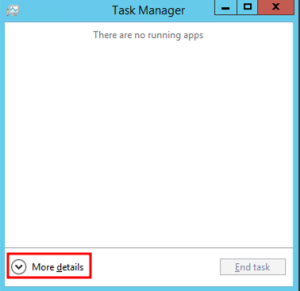
Click More details to see a complete list of processes.
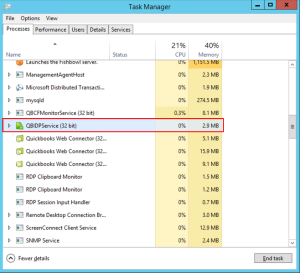
- Scroll through and select the name of the application to be closed.
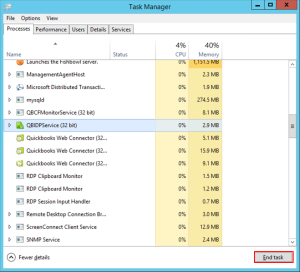
- Select End Task
-
Repeat steps 3-4 if there are any duplicate or similar processes that also need to be closed.
- Applications like Fishbowl and Quickbooks will usually have multiple processes that may need to be closed before they will work properly again.