

How to Add TXT Records to a Domain
Log in to cPanel 2.
- Log in to cPanel
- Under Domains select the Zone Editor
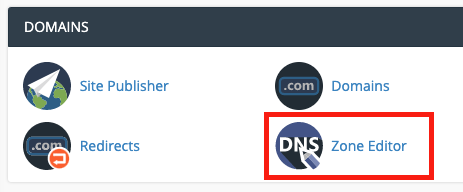
- Choose Manage

-
Click Add Record
-
Enter the following information:
- Type: First change the Type to TXT
- Name field: This is the name of the host. Input the name of the host with a period at the end. Ex: thetikisurfshop.com.
- TTL: Type the TTL (time to live) value or accept the default of 14400.
- Record: Input the record that you need.

- Select Add Record
DNS records can take up to 24 hours to take effect but is typically much faster (2-12 hours).