How to Change Your WordPress Password
While it may be a pain to juggle the ever increasing need for multiple passwords online, it is a great practice to update your login information on occasion to keep your Dashboard secure. Resetting your user's Password is a piece of cake though, so you can quickly get in, reset the password, and get back to other time consuming ventures!
- Login to your site's WordPress Dashboard.
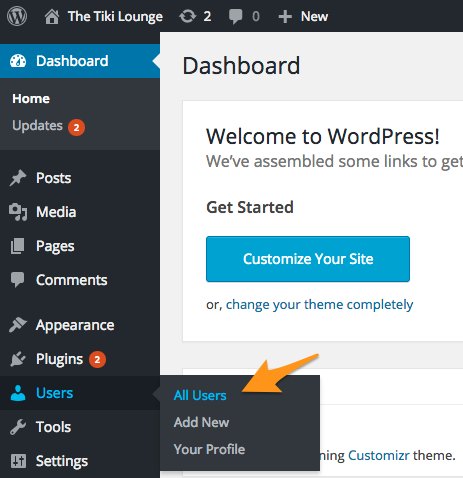
- Scroll down the Dashboard until you reach the 'Users' section. From there, select the 'All Users' option from the sub-menu.
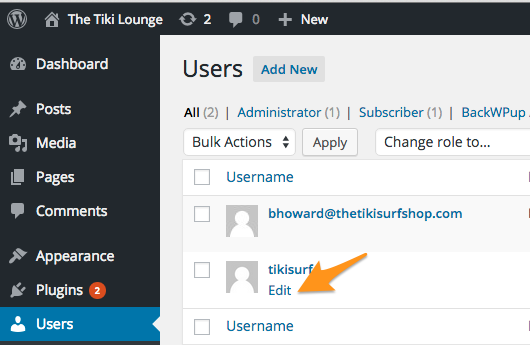
- From the 'Users' menu, locate the username for the password you wish to reset, move your mouse over it, then select the 'Edit' link that will appear below.
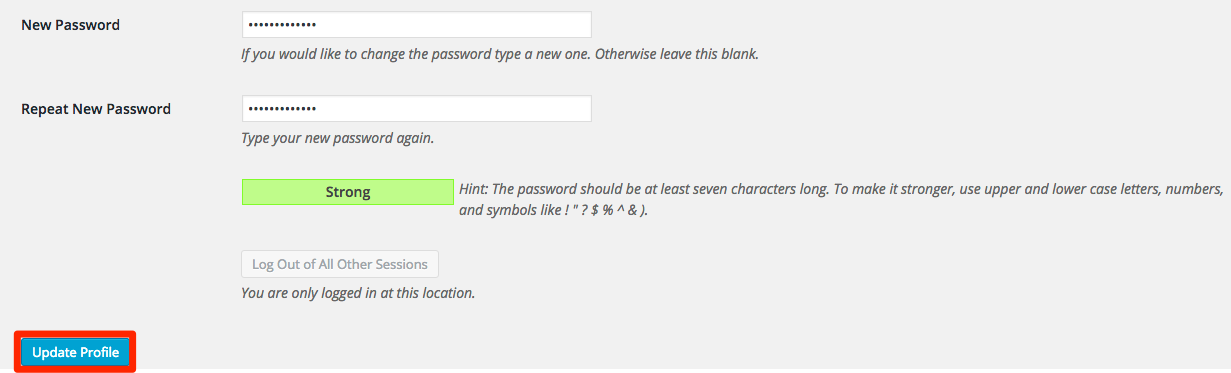
- Scroll down the editor and towards the bottom will be the section to create your new password. Enter the new password you wish to use, keeping in mind that a strong password is best, and then once that has been typed twice successfully, select the 'Update Profile' button below to save the changes.