

Zimbra Filter - SPAM Moved to Junk Folder
Utilize the following filter to automatically move emails marked as SPAM by our Spam/AV filter into your Zimbra Junk folder.
Step-by-step guide (Modern Web Client)
- Login to https://zimbra.voonami.com.
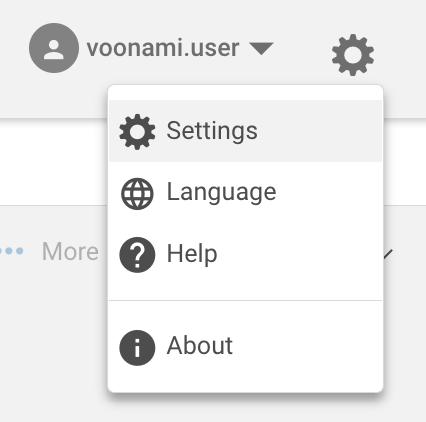
- Click the gear icon next to your username on the top right of the web client.
- Select Settings.
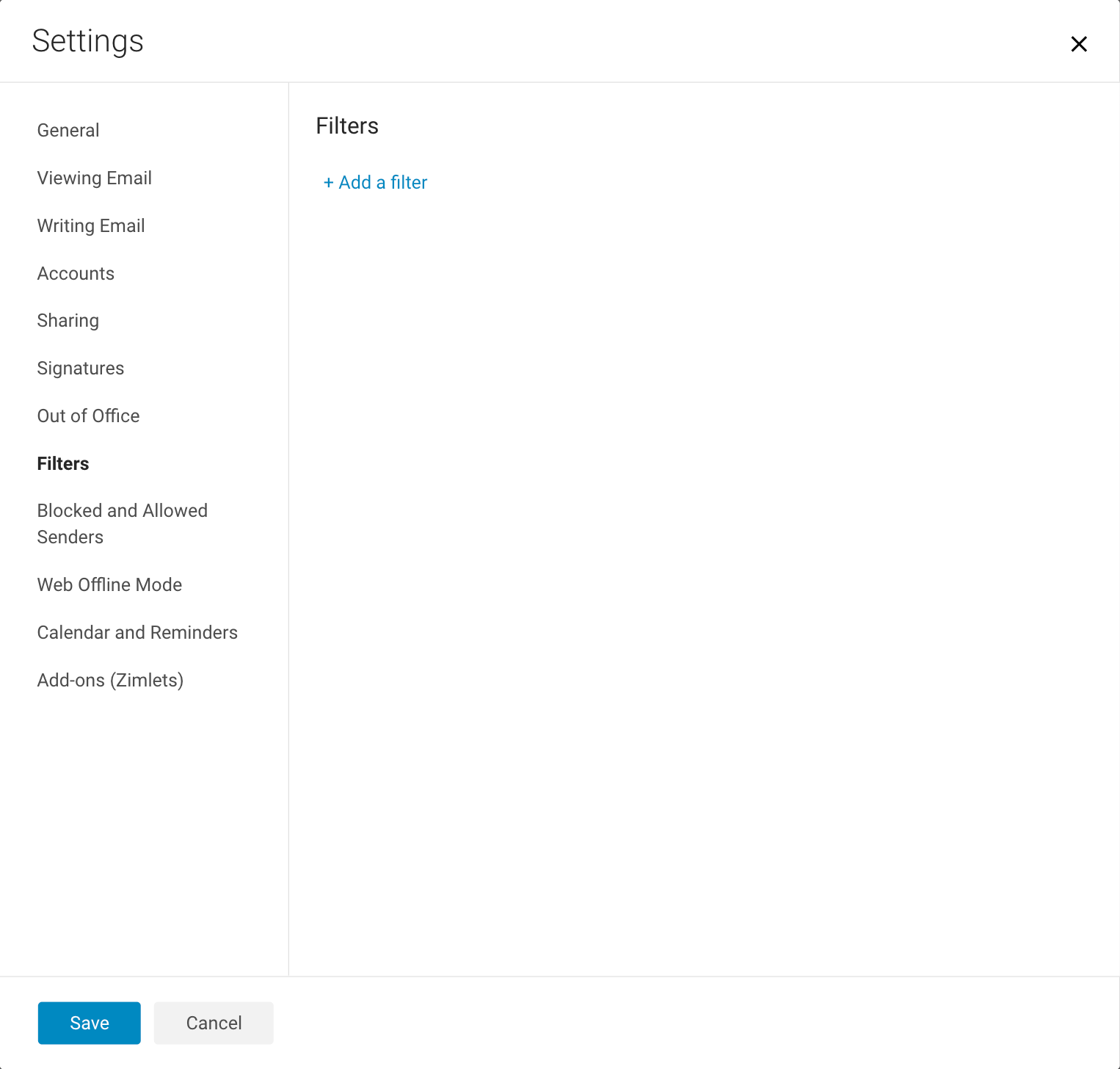
- Navigate to filters on the left side and click + Add a filter.
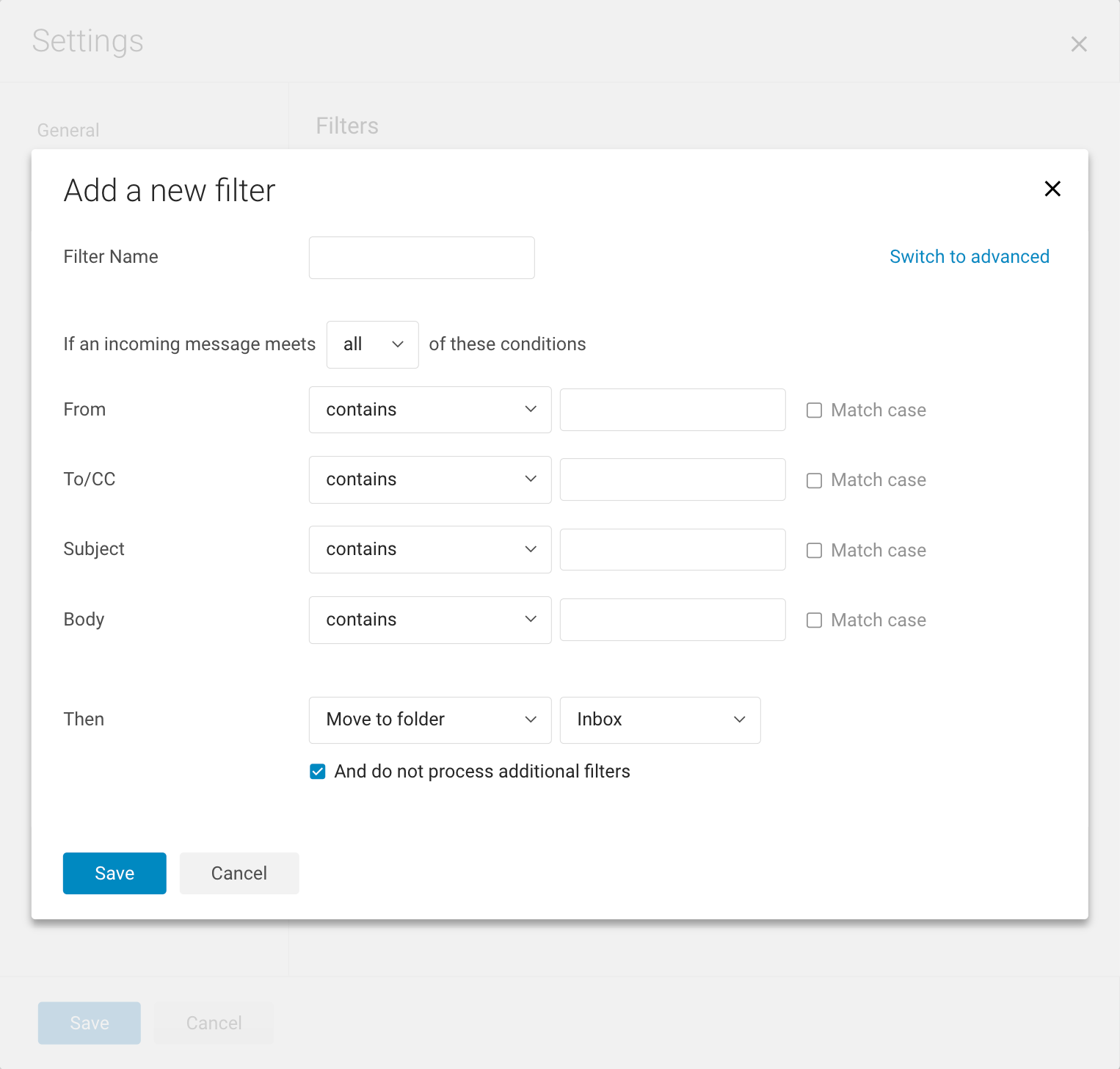
- On the top right of the filters, click Switch to advanced.
-
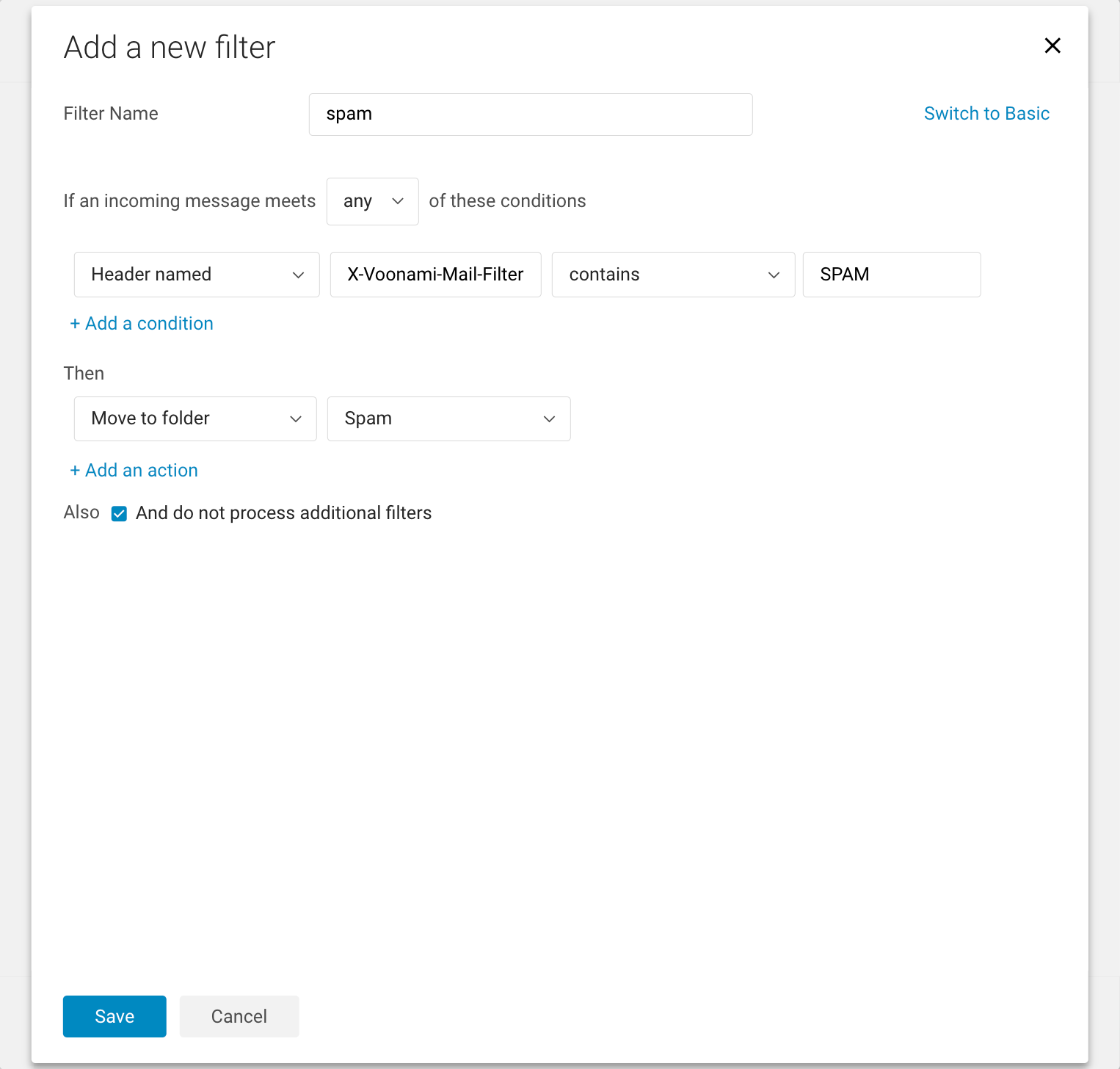
Add the spam rule as follows:
- Filter Name: spam
- If an incoming message meets any of these conditions.
- Condition: Header named X-Voonami-Mail-Filter contains SPAM
- Then: Move to folder Spam
- Also: checked And do not process additional filters.
- Click Save.
- Ensure the Filter is checked.
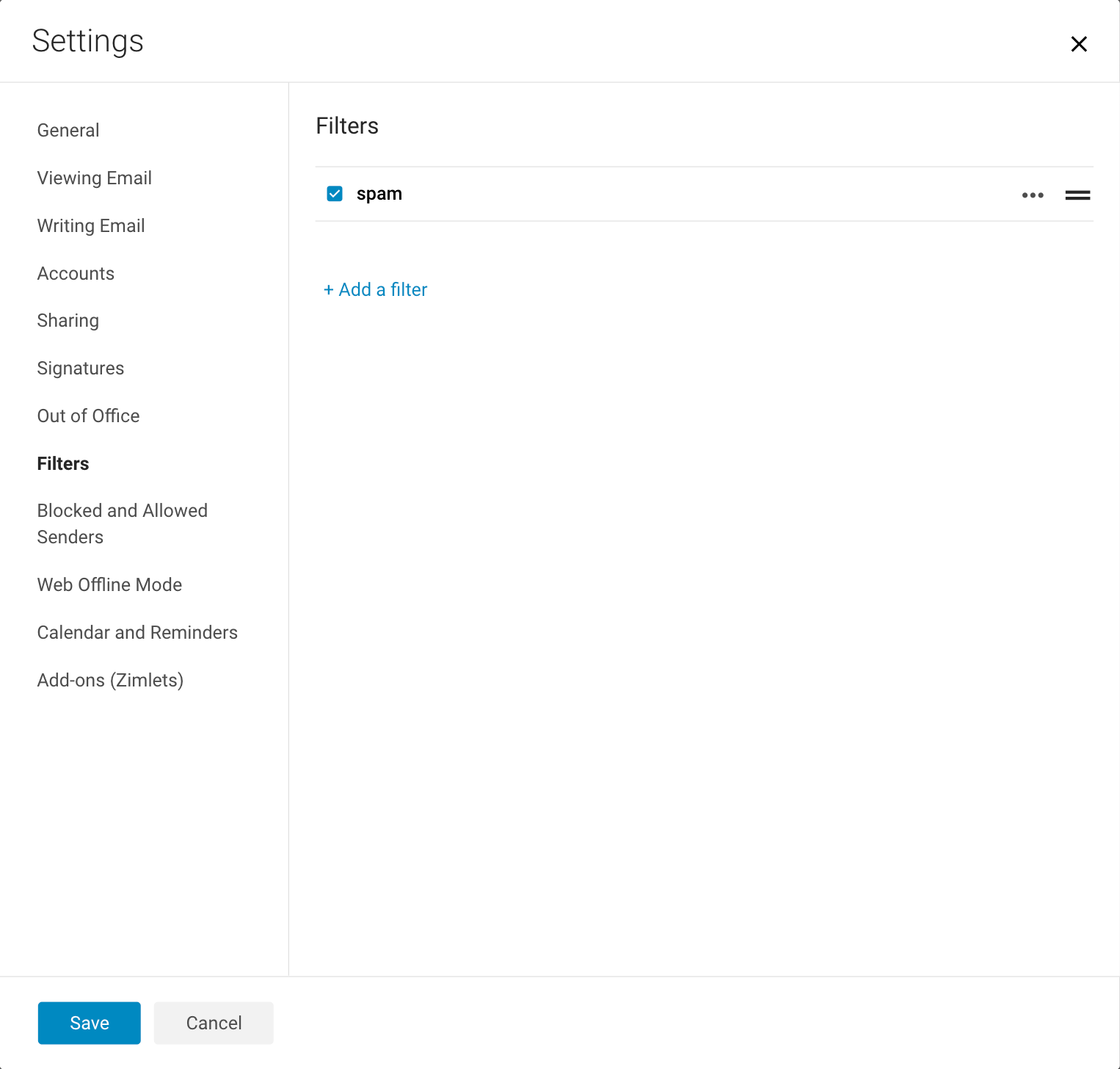
- Click Save.